This is the first post. I finally added a blog to my portfolio. The writing was the easy part. What took me a while was deciding where the posts should live and how to pull them into a site I already had.
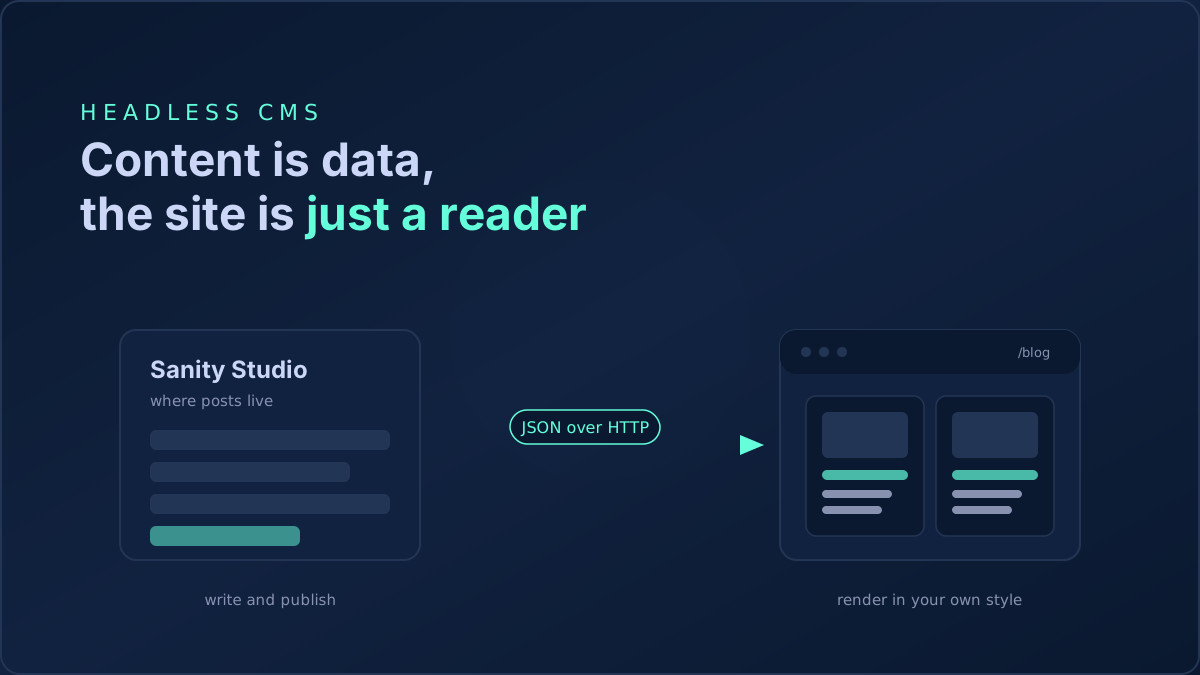
I did not want to publish on a platform that owns the reading experience, because my portfolio already has a look I care about and the posts should feel like the same site. I also did not want markdown files sitting in the portfolio repo, where every typo fix becomes a commit and a redeploy. So the shape was clear before I picked a tool. Keep the content in a separate place with a real editor, and let the site fetch it and render it in its own style. That shape is what people call a headless CMS. The CMS stores your content and serves it over an API, and it does not render any site of its own. You bring the frontend.
I compared a few. Some pushed me toward publishing on their domain, which was the thing I was avoiding. One popular dev blogging platform put headless mode behind a paid plan. Notion through its API was tempting since I already write there, but the body comes back as a block tree that is real work to render well. Sanity won because the free plan is genuinely usable, the editor is configured in code so I define the content model myself, and the read side is just an HTTP request that returns JSON. No client SDK required.
The stack is Next.js on the App Router running on the edge, with Sanity as the content source.
Spin up the Studio
Sanity Studio is the editor. It is its own small app, separate from the portfolio.
npm create sanity@latest -- --template clean --create-project "Portfolio Blog" --dataset production
That scaffolds a Studio, creates a project, and gives you a projectId. A dataset is just a named bucket of content. I kept mine called production and left it public. A personal blog has nothing secret in it, and a public dataset means the site can read it with no token, which keeps the frontend config down to two values.
Model the post in code
The whole point of Sanity is that the content model is yours. You describe it as a schema. This is the post type I settled on.
import {defineType, defineField, defineArrayMember} from 'sanity'

export const post = defineType({
  name: 'post',
  title: 'Post',
  type: 'document',
  fields: [
    defineField({name: 'title', type: 'string', validation: (r) => r.required()}),
    defineField({name: 'slug', type: 'slug', options: {source: 'title'}, validation: (r) => r.required()}),
    defineField({name: 'excerpt', type: 'text', rows: 3}),
    defineField({name: 'coverImage', type: 'image', options: {hotspot: true}}),
    defineField({name: 'publishedAt', type: 'datetime', initialValue: () => new Date().toISOString()}),
    defineField({name: 'tags', type: 'array', of: [defineArrayMember({type: 'string'})], options: {layout: 'tags'}}),
    defineField({name: 'body', title: 'Body (Markdown)', type: 'text', rows: 24}),
  ],
})
The field that matters most is the body, and I will come back to why it is a plain Markdown text field and not Sanity's rich text. Run npm run dev inside the Studio, and you get a real form at localhost:3333. Fill it in, hit publish, and the document is live in the hosted database, with no build or deploy on my side.
Read it from the site
Sanity exposes a query endpoint that speaks GROQ, its own query language. You can hit it with a plain fetch, no library. The CDN host is apicdn.sanity.io and the version is a pinned date.
const PROJECT_ID = process.env.SANITY_PROJECT_ID || ''
const DATASET = process.env.SANITY_DATASET || 'production'
const API = 'v2026-09-19'

async function query(groq: string, params: Record<string, string> = {}) {
  if (!PROJECT_ID) return null
  const url = new URL(`https://${PROJECT_ID}.apicdn.sanity.io/${API}/data/query/${DATASET}`)
  url.searchParams.set('query', groq)
  for (const [k, v] of Object.entries(params)) url.searchParams.set(`$${k}`, JSON.stringify(v))
  try {
    const res = await fetch(url.toString(), {next: {revalidate: 300}})
    if (!res.ok) return null
    return (await res.json()).result
  } catch {
    return null
  }
}
The queries do a bit of shaping so the data arrives in the exact form the components want. I dereference the cover image to a plain URL and pull the slug out as a string right inside the query, which means no image library and no post processing on my side.
*[_type == "post" && defined(slug.current)] | order(publishedAt desc) {
  "id": _id, title, "slug": slug.current, excerpt,
  "coverImage": coverImage.asset->url, publishedAt, tags
}
For a single post I add the body, and for the home page I append [0...3] to grab the three most recent. The whole thing needs only two values in .env:
SANITY_PROJECT_ID=your_project_id
SANITY_DATASET=production
Because the fetch is wrapped in try and catch and returns null on any failure, an outage in Sanity does not take the site down. The blog section on the home page just renders nothing and the rest of the page is untouched. That matches how the rest of the portfolio already treats its data source, so it fit the existing pattern instead of adding a new one.
The body detour, and why it is Markdown
I got this part wrong the first time, and it is a common trap.
Sanity's default rich text format is Portable Text. Instead of HTML or Markdown, it stores your article as a structured array of blocks. In theory that is the clean choice, since the content carries no styling and the frontend decides how every block looks. So I modeled the body as Portable Text and rendered it with the official renderer.
Then I pasted my draft, which was Markdown, straight into the editor. Portable Text is not Markdown. It stored my text verbatim, so the page printed literal # and ** characters instead of headings and bold. The renderer was working correctly. The content was just the wrong shape.
I had two ways out. Author natively in the Studio using its toolbar and never paste Markdown, or make the body an actual Markdown field and render Markdown on the site. Since I write in Markdown everywhere else, I switched the body to a text field and render it with react-markdown plus remark-gfm. Both are small, pure JavaScript, and run fine on the edge with no Node APIs. I still keep full control of styling, because react-markdown lets me map every element to my own component.
import Markdown, {type Components} from 'react-markdown'
import remarkGfm from 'remark-gfm'

const components: Components = {
  h2: ({children}) => <h2 className="text-2xl font-bold text-[#CCD6F6] mt-10 mb-4">{children}</h2>,
  p: ({children}) => <p className="text-[#CCD6F6]/80 leading-relaxed mb-5">{children}</p>,
  a: ({href, children}) => <a href={href} className="text-[#64FFDA] hover:underline">{children}</a>,
  code: ({className, children}) =>
    /language-/.test(className || '')
      ? <code className="font-mono text-sm text-[#CCD6F6]">{children}</code>
      : <code className="font-mono text-[#64FFDA] bg-[#233554]/40 px-1.5 py-0.5 rounded">{children}</code>,
}

export const PostBody = ({value}: {value: string}) => (
  <div className="post-body"><Markdown remarkPlugins={[remarkGfm]} components={components}>{value}</Markdown></div>
)
remark-gfm gets me tables, task lists, and strikethrough for free. The takeaway is simple enough. Portable Text is great if you author inside the CMS, but if you already write in Markdown, store Markdown and skip the friction.
There is one defensive detail worth copying. When I changed the field from Portable Text to a text field, my existing post still had the old array value in the database, and the Markdown renderer expects a string. So the read helper coerces anything that is not a string down to an empty string. That one line means stale or half migrated content degrades to a blank body instead of crashing the page.
body: typeof result.body === 'string' ? result.body : ''
Two edge cases that bit me
My global stylesheet disables text selection across the whole site for a cleaner feel. That is fine for a portfolio and terrible for an article, since readers expect to select and copy. I scoped a small override to the post body so selection works there and nowhere else.
.post-body, .post-body * { user-select: text; -webkit-user-select: text; }
Cover images were the other one. The site runs on the edge, and I did not want to configure remote image hosts or ship an image optimization library for a handful of covers. Since the GROQ query already returns the cover as a plain URL, I render it with a normal image tag and lazy loading. Boring, but it works everywhere with no config.
Where it landed
The post you are reading is the first thing running on this setup. I write in the Studio in Markdown, hit publish, and the portfolio fetches it, renders it with my own components, and it looks like the rest of the site. There is no code change per post and no redeploy, and if I ever leave Sanity the content is plain Markdown and JSON that any frontend can read.
The blog ended up being mostly a question of where content lives and how the site reads it. Once the posts became data that the site just fetches, the code stopped being interesting, which is usually a good sign. Now I am out of excuses, so I should go write the second one.